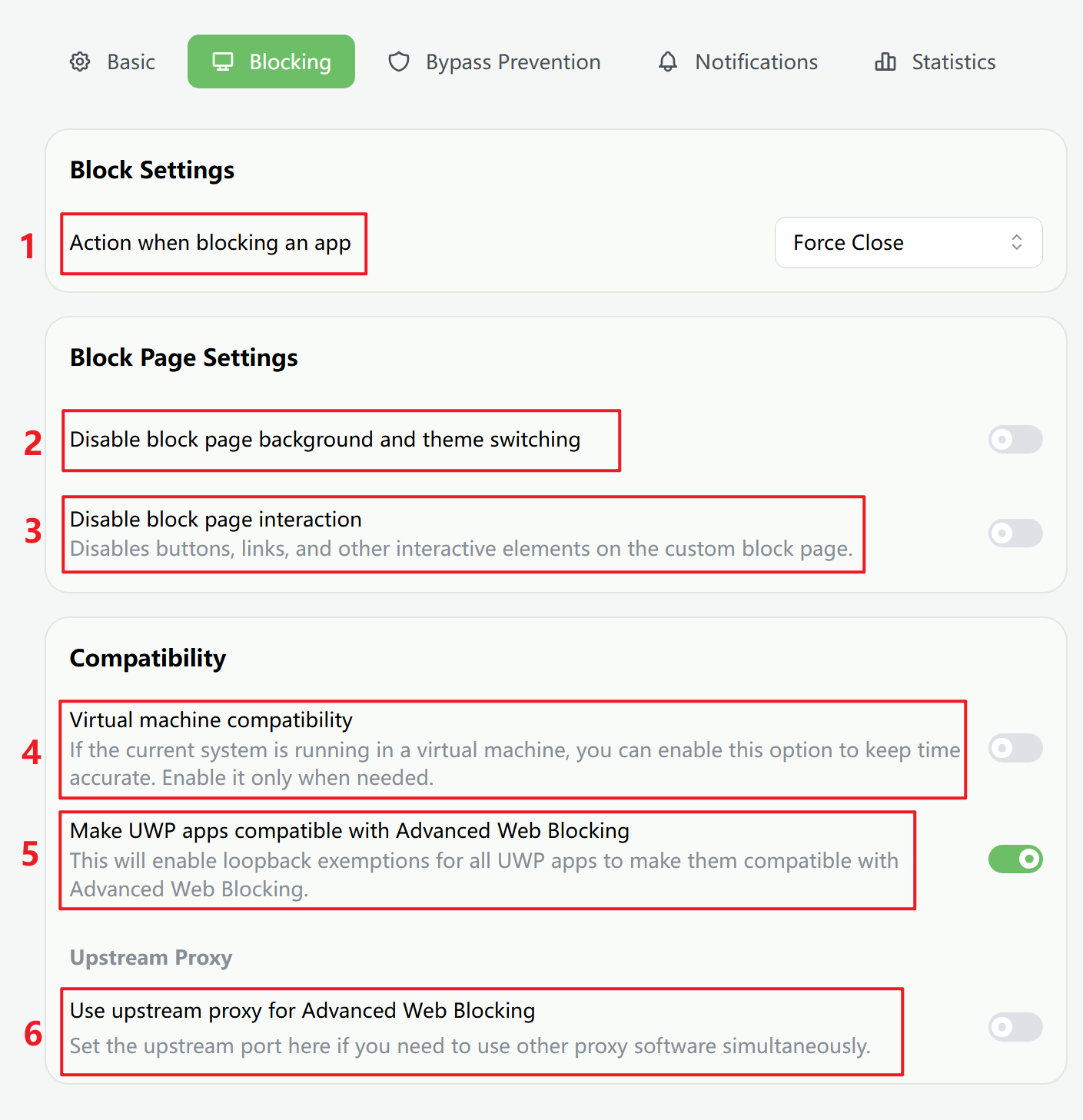
- Action when blocking an app
When a plan is active, a blocked app is either force-closed or minimized first. If the window cannot be minimized, it is force-closed.
- Disable block page background and theme switching
Prevent changes to the block page background color, image, video, or custom HTML theme. If a plan is locked, this setting cannot be turned off.
- Disable block page interaction
Disable buttons, links, and other interactive elements on custom block page themes.
- Virtual machine compatibility
In some virtual machines, timekeeping may be inaccurate. Turn this on when you need more reliable timing.
- Make UWP apps compatible with Enhanced Web Blocking
UWP apps normally cannot access local addresses. This option enables loopback exemptions so they can work with Enhanced Web Blocking.
- Use upstream proxy for Enhanced Web Blocking
If you already use another system proxy tool, route it through FocusLeaf's upstream proxy chain.
Virtual machine compatibility
In virtual machine environments, the time system may be inaccurate. Turn this option on when you need more reliable timing, such as in a VMWare Windows virtual machine.
Make UWP apps compatible with Enhanced Web Blocking
UWP apps normally cannot access local addresses. When the system proxy is active, that can prevent UWP apps from connecting to the network correctly. This option enables loopback exemptions for all UWP apps so they remain compatible with Enhanced Web Blocking, and it is generally recommended.
Upstream Proxy
If you need to use another system proxy tool alongside Enhanced Web Blocking, set that tool’s proxy port as the upstream proxy for FocusLeaf and turn off the system proxy setting in that app.
Traffic then flows like this:
- apps on your computer
- FocusLeaf proxy server
- upstream proxy server
- the internet
This can work with some system proxy tools, but not with VPN apps.
FocusLeaf checks whether the upstream proxy port is reachable and connects directly to the internet when the upstream proxy is unavailable.