Download and Install
After downloading the FocusLeaf installer, double-click FocusLeafInstaller.exe to run it, then approve the UAC prompt. Follow the installation steps, choose an install directory (the default is recommended), and click Next to finish the setup.
System Requirements
- Windows 10 / Windows 11
x64/Arm- Approx.
80 MBof disk space
App Overview
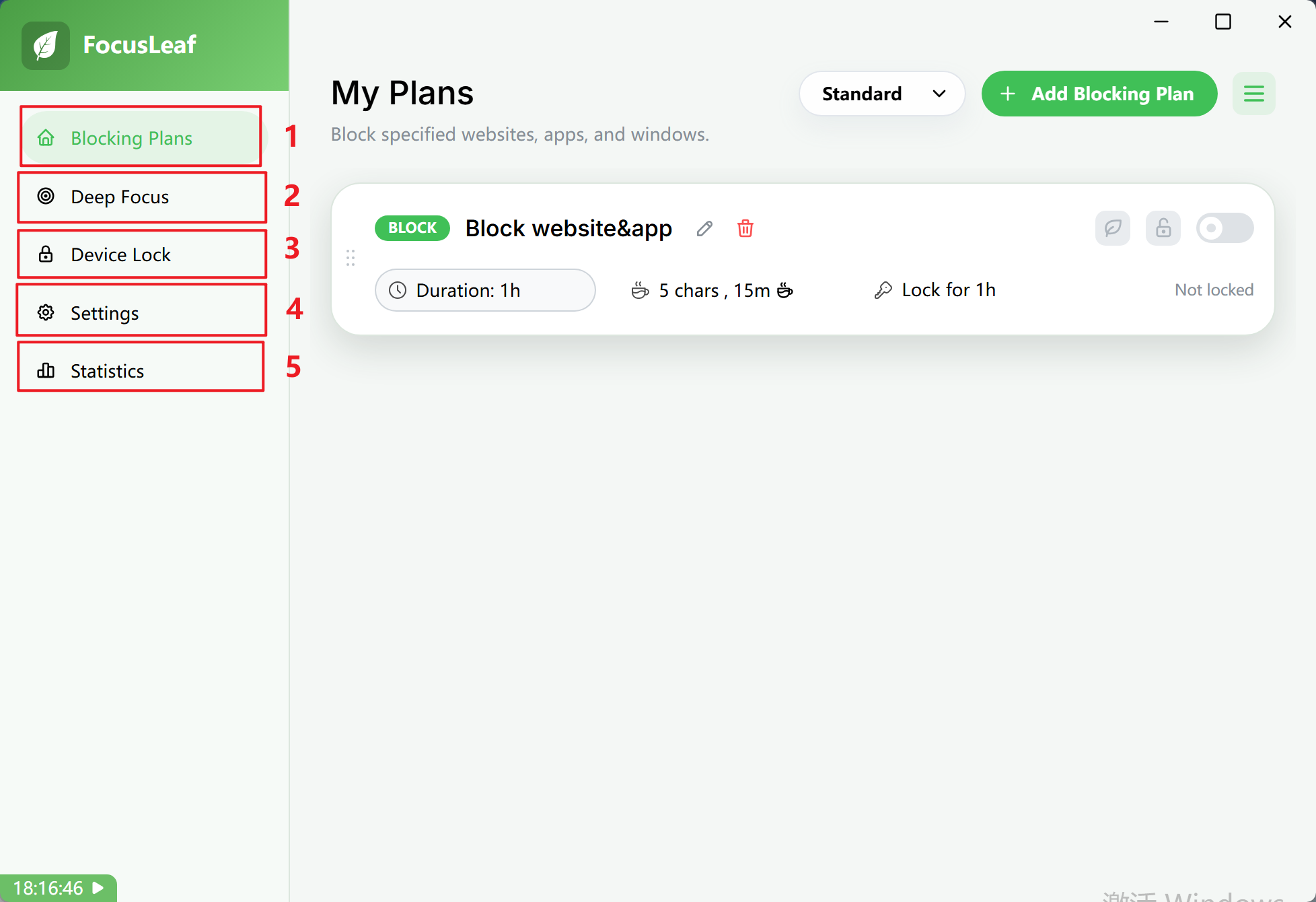
Main Sections
- Blocking Plans
Use Blocking Plans to block specific websites and apps while keeping exception websites accessible.
- Deep Focus
Deep Focus is a strict allowlist mode. Create a Deep Focus plan here so that only approved apps and websites can run.
- Device Lock
Lock your computer. Create Device Lock plans here to shut down or lock your device during specific time windows.
- Settings
The Settings section lets you adjust FocusLeaf's behavior, strictness, and compatibility options.
- Statistics
The Statistics section shows app usage, website usage, and screen time.