Enhanced Web Blocking works at the system level, so it is stricter and more comprehensive. It is best for scenarios that require deeper self-discipline, such as breaking a web addiction.
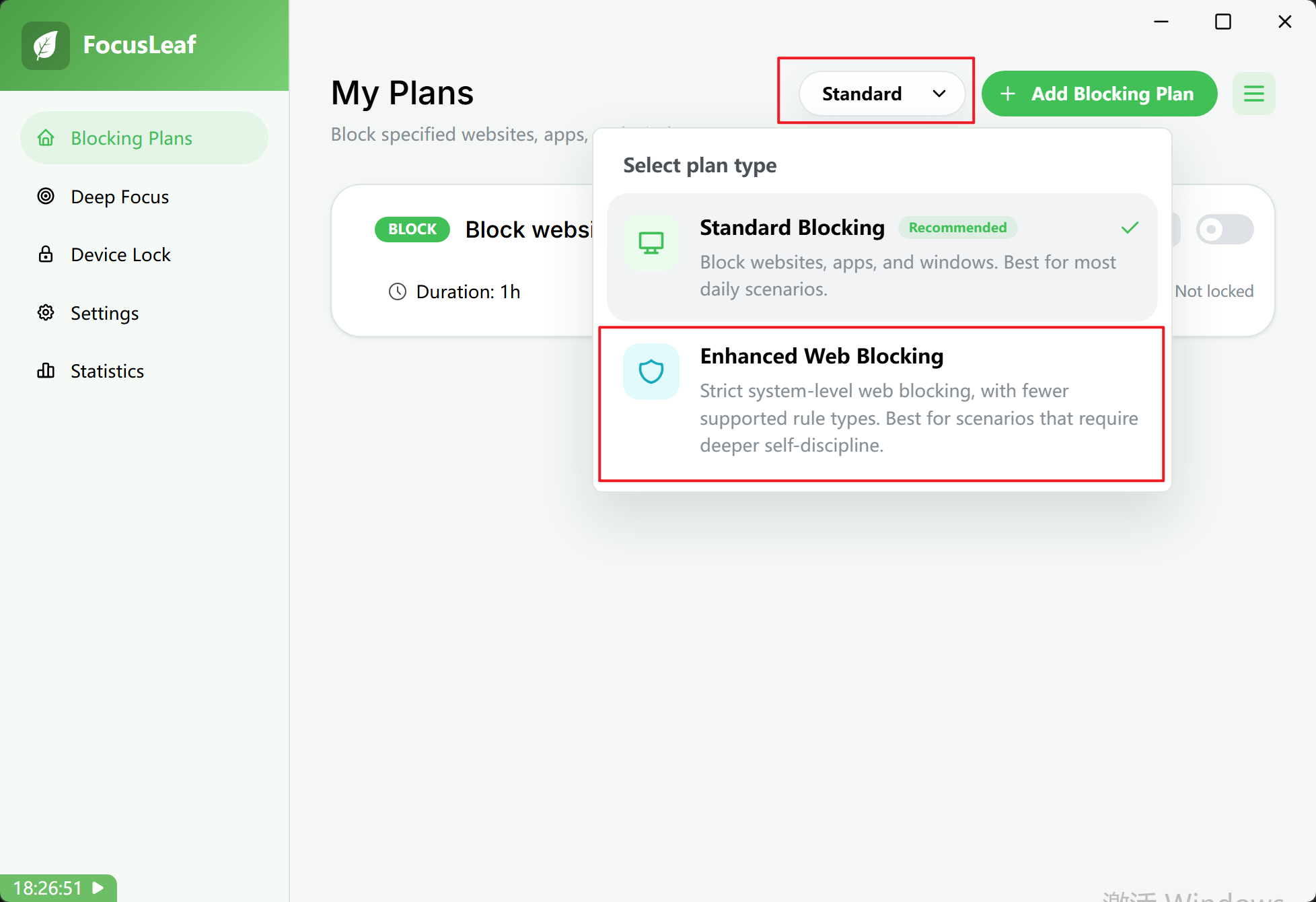
How It Differs from Standard Blocking
Enhanced Web Blocking supports fewer rule types than Standard Blocking. The following features are not available:
- URLs cannot block specific pages
It can block only entire websites. For example, it cannot block a single page such asyoutube.com/watch?v=q5LtyjMs-5c. You can block the full YouTube site or a YouTube subsite such asyoutube.comormusic.youtube.com. If you blockyoutube.com, all YouTube videos are blocked. - URLs do not support wildcards
If you enter an invalid format, the editor prompts you to correct it. - Block all websites is not supported
In other words, website allowlists are not available in this mode. - Pomodoro, Usage Limit, and Reward are not supported
Only Typing Challenge breaks are available.
FAQ
I turned on Enhanced Web Blocking, but I can still access some blocked pages.
If you visited the page before turning on Enhanced Web Blocking, the browser may still have that page cached and keep showing the cached version even after blocking starts.
You can close and relaunch the browser after enabling blocking to clear that cached page, or simply keep the Enhanced Web Blocking plan running long-term.